Create Wiki · Tools and equipment
Schematics and Schematicannon
With schematics, Create copies entire builds. The Schematic and Quill saves an area to a file; the Schematic Table writes that file onto an Empty Schematic; the Schematicannon rebuilds it block by block, taking materials from a chest. It is the tool to mass-produce a factory, share a design or rebuild a station identically.
Quick facts
- Category
- Tools and equipment
- Schematicannon
- 1 shot every 10 ticks (2 blocks per second)
- Fuel
- 1 Gunpowder for 400 blocks
- Range
- Schematic within 256 blocks of the cannon
- Rotation
- None: the Schematicannon does not need it
- Files
- The game’s schematics/ folder, at most 256 KB per upload on a server
- Per player
- 10 uploaded schematics, the oldest is replaced
- Version
- Create 6.0.8 · Minecraft 1.21.1
Schematicannon, crafting table


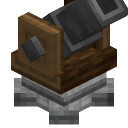
→ 1 Schematicannon
- 2 ×Block of Iron
- 2 ×Log
- 2 ×Smooth Stone
- 1 ×Dispenser
Saving with the Schematic and Quill

The Empty Schematic is made from paper and light blue dye; add a feather for the Schematic and Quill. In hand, a right-click marks a first corner, a second click the other corner: a box appears. You can aim up to 75 blocks away; with Ctrl, you set a corner in mid-air, at a distance chosen with the scroll wheel. Ctrl and scroll on a face grows or shrinks the box. A third click asks for a name: the .nbt file goes to the game's schematics folder, entities included.
The Schematic Table
The Schematic Table needs neither rotation nor redstone. Put an Empty Schematic in it, pick a file from the list, and the table uploads it to the server and returns a Schematic ready to use. On a server, uploads are limited to 256 KB per file and ten schematics per player; big files take a while, about 2 KB per second. The Schematic and Quill's "save and upload" button does both at once.
Placing the ghost

Schematic in hand, a right-click places a ghost version of the build. Left Alt opens the tool menu: move horizontally or vertically, position, rotate, mirror. Ctrl and scroll apply the chosen tool, and Shift + right-click opens a screen to type exact coordinates. In creative, the "Print" tool places everything at once; in survival, that is the Schematicannon's job.
The Schematicannon

The cannon takes the placed schematic, Gunpowder and the materials from the inventories touching its six faces. It fires one block every 10 ticks, two per second; one Gunpowder lasts 400 blocks. The build must be within 256 blocks, and the cannon places nothing within two blocks of itself. A Creative Crate attached to it supplies everything, without gunpowder.
Layer after layer

The cannon moves like a printer: west to east along a row, then row after row, then layer after layer, bottom to top. Fragile blocks (torches, doors, rails, plants) are kept for the end, once their support exists. It also places item frames and armour stands with their contents. When done, it returns an Empty Schematic, ready to reuse.
Cannon settings
Four replace modes: leave solid blocks alone, replace solid with solid, replace solid with anything (the default), or replace with empty, which also clears the area. "Skip missing blocks" moves on instead of waiting; "Protect block entities" leaves chests and machines in place. Careful: a replaced block vanishes without dropping anything.
The material list
A Clipboard or a book placed in the cannon comes out with the full list of blocks in the schematic and their amounts. Handy to fill the chest before starting, or to see what is missing when the cannon pauses.
Tips
Save your factory modules as soon as they work: a press, a washing line, a station. The cannon rebuilds them elsewhere with the machines already facing the right way. Keep an Item Vault full of stone and planks next to the cannon, and check the material list for rare blocks. Tools with durability that a block requires lose one point per placement.
In creative: the Worldshaper
For creative builders, Create adds the Creative Worldshaper, which shapes terrain up to 128 blocks away. You pick a shape (cuboid, sphere, cylinder, surface, cluster), a tool (fill, place, replace, clear, overlay, flatten) and a material, then each click applies it where you aim. It cannot be crafted: it is a creative-mode tool.
Related pages



Sources for the numbers (Create 6.0.8 code)
- Recipes: crafting/schematics/schematic_table.json, schematicannon.json, empty_schematic.json, schematic_and_quill.json
- CSchematics config: schematicannonDelay 10, schematicannonShotsPerGunpowder 400, maxSchematics 10, maxTotalSchematicSize 256, maxSchematicPacketSize 1024, schematicIdleTimeout 600
- Cannon: SchematicannonBlockEntity (neighbouring inventories, Creative Crate, MAX_ANCHOR_DISTANCE 256, 2 blocks, options, material list), SchematicPrinter (x, z, y order; fragile blocks deferred), LaunchedItem
- Schematic and Quill: SchematicAndQuillHandler (75 blocks, Ctrl, scroll), SchematicExport; tools: ToolType
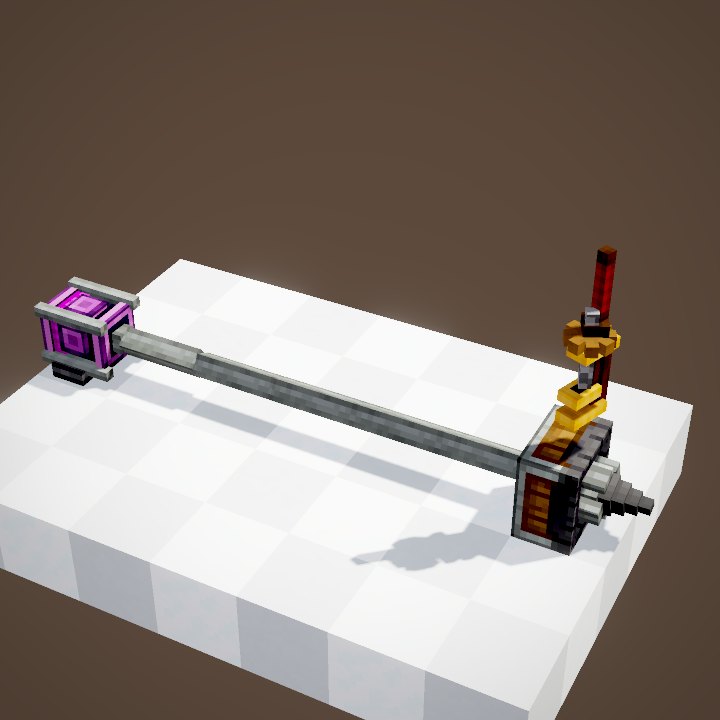
- Scene written for this wiki (Create has no Ponder scene on this topic): WIKI/c2c_scenes.py, rendered by our engine (moving parts read from Create's BlockEntityRenderers: WIKI/c2c_parts.py); cannon aim and flying blocks after SchematicannonRenderer
- Images: the game's blocks and items (Create's models) rendered by our engine, player not drawn
Original texts and animations by Create France, rendered from the mod's Ponder scenes. Create is a mod by the Create Team, not affiliated with Create France.