Create Wiki · Kinetics
Flywheel
The Flywheel is a large brass wheel that sits on a line of shafts. It passes rotation on like a shaft, costs no stress and produces nothing: it is a decorative block. What makes it special is visible at a glance: it takes a few seconds to reach its speed, and keeps spinning for a while after the machine stops.
Quick facts
- Category
- Kinetics
- Stress
- None (0 SU), provides no power
- Transmission
- Along its axis, on both sides, like a shaft
- Effect
- Decorative: displayed speed lags behind
- Lag
- Closes 1/64 of the gap per tick: 63% in 3 s, about 95% in 10 s
- Size
- That of a Large Cogwheel, with no meshing teeth
- Tool
- Axe or pickaxe
- Version
- Create 6.0.8 · Minecraft 1.21.1


Placing it on a line
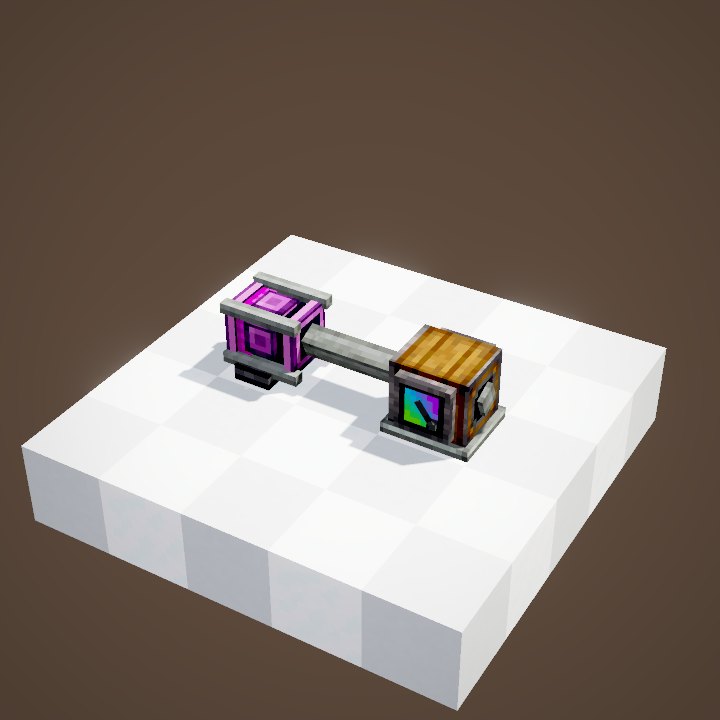
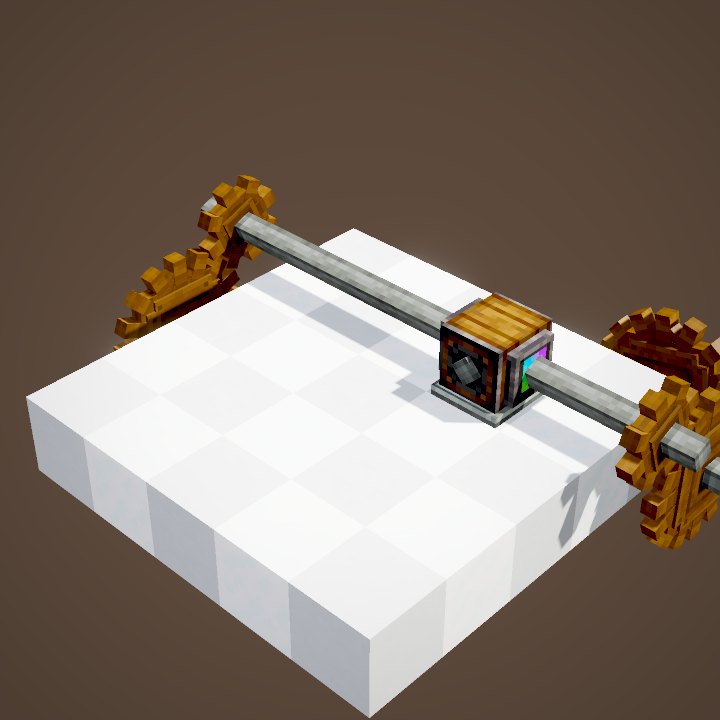
The Flywheel is placed like a shaft: its axis follows the face you click, vertical or horizontal. It has a connection on each side of its axis, so it fits anywhere along a line. In the loop, a Creative Motor drives a first flywheel, then two shafts carry the rotation on to a second one.
A visible run-up

When the motor starts, the shafts turn at 32 RPM straight away. The flywheels start slowly: every tick, their displayed speed closes 1/64 of the gap with the real speed. They need about three seconds to reach two thirds of it, and around ten to catch up fully. It looks like a heavy wheel gathering momentum.
Faster, still lagging

The motor goes to 128 RPM: the shafts jump to the new speed, the flywheels follow smoothly. The bigger the gap, the harder they accelerate at first, then the catch-up slows as they near the target. Once at speed, nothing sets them apart from an ordinary wheel.
Still turning after the stop

The motor stops: the shafts freeze at once, but the flywheels carry on and slow down over about ten seconds. It is only a visual: no machine benefits from that leftover spin, the network really is stopped.
No effect on the network
The Flywheel has no stress impact and adds no capacity. It stores no energy, does not smooth anything out and does not keep a machine running. The Stressometer ignores it, and a Speedometer next to it reads the real speed of the line, not the one you see spinning.
Not a cogwheel
The Flywheel is the size of a Large Cogwheel, but it meshes with nothing: a cogwheel set against it does not turn. Rotation only goes through its axis, as in a shaft. So plan a shaft or a casing at each end if the line has to go on.
Decoration ideas
A flywheel brings an engine room to life: next to a Steam Engine, at the foot of a windmill, or at the end of a line to show that it runs. Its momentum makes start-ups and shutdowns look more believable. Several flywheels on one shaft cost nothing extra, and the shafts around them can take a wooden or metal bracket for a sturdier look.
Crafting it
Eight Brass Ingots around a Shaft make one Flywheel. Brass comes from a heated Mechanical Mixer, with copper and zinc. The Flywheel breaks with an axe or a pickaxe and drops whole.
Common mistakes
Relying on it to keep a machine running: it stores nothing, a press stops as soon as the motor does. Setting it against a cogwheel and expecting the cog to turn: rotation has to go through the axis. Thinking it is stuck because it turns slowly right after start-up: wait a few seconds, it catches up with the line's speed.
Related pages



Sources for the numbers (Create 6.0.8 code)
- Block: FlywheelBlock (RotatedPillarKineticBlock, connections on both faces of the axis), AllBlocks (CStress.setNoImpact)
- Lag: FlywheelBlockEntity (visualSpeed.chase(speed, 1/64, EXP) every tick, angle += visualSpeed × 3/10)
- Recipe: crafting/kinetics/flywheel.json (8 Brass Ingots around a Shaft)
- Scene written for this wiki (Create has no Ponder scene on this topic): WIKI/c2c_scenes.py, rendered by our engine (moving parts read from Create's BlockEntityRenderers: WIKI/c2c_parts.py); speeds recomputed by WIKI/redstone_sim.py, flywheel lag replayed tick by tick
- Images: the game's blocks and items (Create's models) rendered by our engine, player not drawn
Original texts and animations by Create France, rendered from the mod's Ponder scenes. Create is a mod by the Create Team, not affiliated with Create France.