Create Wiki · Logistics
Item Hatch
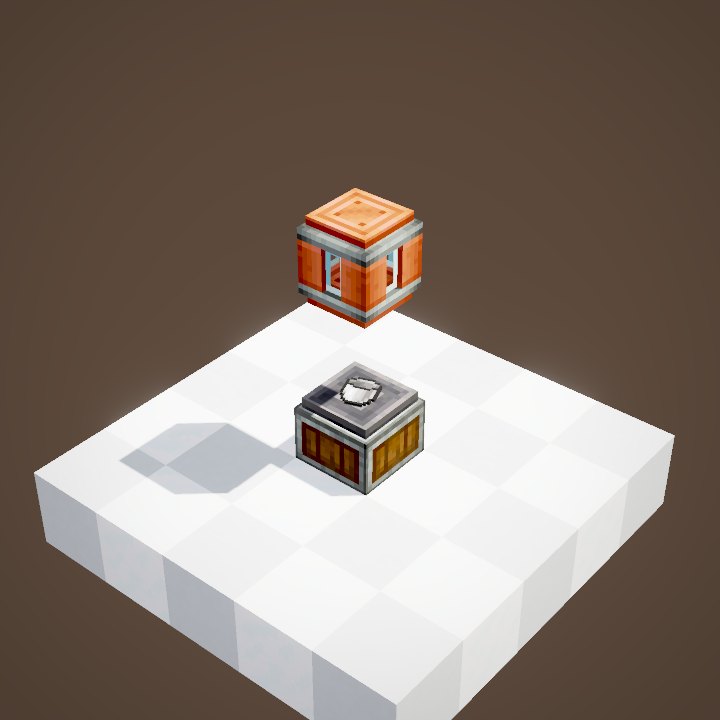
The Item Hatch attaches to the side of an inventory: chest, barrel, Item Vault or any machine that holds items. A right-click on it drops in the item you are holding; sneaking, it swallows your whole inventory except the hotbar. It is the quickest way to empty your pockets when you come back from the mine.
Quick facts
- Category
- Logistics
- Placing
- On the side of an inventory, never on top or below
- Right-click
- Deposits the selected hotbar item
- Sneak + right-click
- Deposits the whole main inventory, hotbar excluded
- Filter
- Yes: only matching items go in
- Refused
- Shulker boxes and items that cannot go in containers (packages pass)
- Animation
- It opens, then closes 10 ticks later
- Version
- Create 6.0.8 · Minecraft 1.21.1


Placing it against an inventory

The hatch is placed by clicking the side face of a block with an inventory: it faces that block and will pour items into it. On the top or bottom face placement is refused, and against a block with no inventory too. Chest, barrel, Item Vault, Depot or Basin: anything that accepts items works. On a vault several blocks wide, a single hatch is enough: it fills the whole thing, and you can put one on every reachable face to come in from anywhere.
Depositing the held item
A right-click, without sneaking, deposits the item in your selected hotbar slot. If there is room, the whole stack goes in; otherwise only what fits. A message confirms it and the hatch opens for a moment, then closes by itself ten ticks later.
Emptying the whole inventory
Sneaking, the right-click deposits the whole main inventory: the 27 backpack slots. The hotbar is left alone, as are armour and the off hand: your tools, food and building blocks stay with you. So keep what you want in the hotbar and leave the rest in the backpack. Your worn gear is never taken, so a sneak-click is safe even in full armour.
The filter
The hatch has a filter slot. Empty, it takes everything; with an item or a list filter, it only lets matching items in and leaves the rest in your inventory. One hatch filtered for ores, another for stone, a third for wood: three sneaking clicks and a trip's loot is sorted.
What it refuses
A tidy base
Hatch or funnel?
A Funnel works on its own: it picks up what falls in front of it or what a belt brings. The hatch only reacts to a player who clicks: it is a door for your hands, not an item pipe. The two combine well: the hatch to bring the loot in, funnels and belts to hand it to the machines afterwards.
Common mistakes
Sneak-clicking and expecting the hotbar to be emptied too: it is never touched. Forgetting that a filter is set: refused items stay in the backpack with no error message. Placing the hatch on top of a chest: placement is refused, aim at a side.
Related pages


Sources for the numbers (Create 6.0.8 code)
- Recipe: crafting/logistics/item_hatch.json (Andesite Alloy + Iron Trapdoor)
- Placing: ItemHatchBlock.getStateForPlacement (side faces only, FACING toward the inventory)
- Deposit: ItemHatchBlockEntity / ItemHatchHandler (selected slot; sneaking: main inventory except hotbar; FakePlayer ignored; canFitInsideContainerItems), FilteringBehaviour; opening: scheduleTick 10
- Images: the game's blocks and items (Create's models) rendered by our engine, player not drawn
Original texts and animations by Create France, rendered from the mod's Ponder scenes. Create is a mod by the Create Team, not affiliated with Create France.