Create Wiki · Create Connected
Inventory Access Port, Inventory Bridge, Dashboard and storage
Create Connected fills several gaps in Create's logistics: reaching a chest stuck behind a wall, turning two inventories into one, showing information to the driver, dropping whole stacks at once and storing goods standing up or lying down. On the menu: the Inventory Access Port, the Inventory Bridge, the Dashboard, the Brass Chute, the Item Silo and the Fluid Vessel.
Quick facts
- Access port
- 2 per craft; no slots of its own
- Brass Chute
- 64 items per pull (16 for the Create Chute)
- Item Silo
- up to 3 × 3 across, height up to 3 × the width; 20 stacks per block
- Fluid Vessel
- 8 buckets per block; up to 3 × 3 across and 32 blocks long
- Vessel as a boiler
- output × 0.8125, heat × 0.5 (vesselBoilerStressMultiplier, vesselHeatMultiplier)
- Dashboard
- 4 lines; 15 characters per line from a Display Link
- Version
- Create Connected 1.3.3 · Create 6.0.10
Crafting table recipe (2 ports per craft)
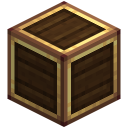


 2
→ 2 Inventory Access Ports
- 1 ×Brass Casing
- 1 ×Chute
- 1 ×Electron Tube
The Inventory Access Port
The port goes against an inventory, facing it, and works as an extension cord: a funnel, a Mechanical Arm or a chute attached to the port behaves exactly as if it touched the chest. The port itself holds nothing. You can stick several onto one chest, but a port against another port leads nowhere. A redstone signal switches it off, and a comparator placed against it reads how full the hidden chest is.
The Inventory Bridge
The bridge, crafted from two ports, sits between two inventories in a line. Whatever touches its other faces sees both as a single store: the slots of the first, then those of the second. It has no room of its own either. It only joins its two neighbours: a funnel stuck on one of the chests still sees that chest alone. Bridges do not chain, but several can share the same chests; redstone turns them off and a comparator returns the average of both fill levels.
The bridge's filters
Each end of the bridge has a filter slot, which also takes Create's filter items: it decides which items leave on that side. Iron to the west and gold to the east: an iron ingot pushed into the bridge heads west, gold heads east, and an item matching neither is refused. If only one side has a filter, it takes priority: what it matches can no longer go to the empty side, which gets everything else.
Filters on the way out and Stock Links

Filters also count when you empty the bridge: an item stored on the unfiltered side but claimed by the opposite filter becomes invisible through the bridge. Those hidden items do not show up in the network of a Stock Link attached to it either. Useful to keep a reserve away from the Stock Ticker while keeping a single access point.
The Dashboard
The Dashboard is a small four-line screen, made from a Display Board on top of Brass Casing. For fixed text, click it with a filled Clipboard: each of its lines becomes a line on the screen. A renamed Name Tag writes the first line. For live text (speed, stock, the next train), point a Display Link at it: it takes 15 characters per line.
Colours, seat display and reset

A dye changes the text colour and a Glow Ink Sac makes it glow, just like on a sign. The real bonus: a player sitting on the block right in front (a seat, a minecart…) reads the lines above the hotbar without taking their eyes off the road. If several dashboards surround the same spot, their texts take turns every 2 s. A Wrench turns that feed off or back on, and an empty-hand click wipes the screen.
The Brass Chute

The Brass Chute is the fast version of Create's Chute: you place it, bend it and use it the same way, but it pulls up to 64 items at once from the inventory above, against 16 for the regular chute. Two Brass Sheets and a Brass Ingot make four. The wrench adds or removes a window, a Brass Block encases it, and an Encased Fan still pushes items up it.
The Item Silo

The silo is an Item Vault standing up: blocks placed together merge into a single vertical store. It ranges from 1 × 1 to 3 × 3 across, and its height can reach three times its width, so 9 blocks for a silo 3 wide. Each block holds 20 stacks, like the vault: a full 3 × 3 × 9 silo stores 1,620 stacks. A one-item recipe turns it into an Item Vault and back.
The Fluid Vessel

The vessel is a Fluid Tank lying on its side: 8 buckets per block, up to 3 × 3 across and 32 blocks long. The wrench cycles the window shapes. It can act as a boiler for Steam Engines, but less well: output × 0.8125, burner heat counted at half, level capped by vesselMaxLevel (18). The Creative Fluid Vessel supplies the chosen fluid endlessly, like the creative tank.
Related pages
 Create ConnectedCreate Connected
 Stock LinkPackage network
 Chute and Smart ChuteLogistics
 Andesite and Brass FunnelLogistics
 Item VaultLogistics
 Fluid TankFluids
 Display Link and Display BoardRedstone
 Filters and ClipboardTools and equipment
 Steam EngineKinetics
 Sequenced Pulse Generator and Linked TransmitterCreate Connected
Sources for the numbers (Create Create Connected 1.3.3 · Create 6.0.10 code)
- Create Connected 1.3.3 (create_connected-1.3.3-mc1.21.1.jar from the next Create France modpack release): code from the public repository github.com/hlysine/create_connected at tag 1.3.3-mc1.21.1, recipes from the jar's data folder, Ponder scenes replayed by our engine.
- Mod by Lysine (hlysine), GNU AGPL v3 licence: models and textures by its authors, rendered from the jar; no text from the mod is copied.
- Classes: content/inventoryaccessport (InventoryAccessPortBlock, InventoryAccessPortBlockEntity), content/inventorybridge (InventoryBridgeBlock, InventoryBridgeBlockEntity), content/dashboard (DashboardBlock, DashboardBlockEntity, DashboardDisplayTarget), content/brasschute (BrassChuteBlock, BrassChuteBlockEntity), content/itemsilo (ItemSiloBlockEntity), content/fluidvessel (FluidVesselBlockEntity, BoilerData), config/CServer.
- Create 6.0.10 settings used by these blocks: vaultCapacity (20), fluidTankCapacity (8), fluidTankMaxHeight (32).
- Ponder scenes InventoryAccessPortScenes, InventoryBridgeScenes and DashboardScenes replayed by our engine.
Original texts and animations by Create France, rendered from the mod's Ponder scenes. Create is a mod by the Create Team, not affiliated with Create France.