Create Wiki · Create Connected
Sequenced Pulse Generator and Linked Transmitter
Create Connected adds two redstone tools that Create was missing. The Sequenced Pulse Generator plays a short score of signals, programmed line by line. The Linked Transmitter clips onto a button or lever you already placed and turns it into a Redstone Link transmitter, with no extra block. Finally, the Redstone Link Wildcard lets one link talk to a whole family of frequencies.
Quick facts
- Instructions
- up to 7 per generator (INSTRUCTION_CAPACITY)
- Output duration
- 1 to 600 ticks (30 s at most), strength 0 to 15
- Counted loop
- 1 to 100 rounds (Loop for instruction)
- Link range
- 256 blocks (Create linkRange setting)
- Transmitter bases
- 13 buttons, lever, analog lever, throttle lever
- Wildcard
- only one of the two slots per link (allowDualWildcardLink = false)
- Version
- Create Connected 1.3.3 · Create 6.0.10
Crafting table recipe (Stone: any block of the c:stones tag)

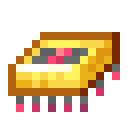


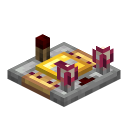
→ 1 Sequenced Pulse Generator
- 2 ×Electron Tube
- 1 ×Control Chip
- 1 ×Brass Sheet
- 1 ×Redstone Torch
- 3 ×Stone
A signal sequencer
The generator sits on the floor like a repeater: it listens at the back and only outputs at the front. Its programming screen opens on a right-click: a list of up to seven lines. Each line picks an instruction, an output strength (0 to 15) and a setting. Fresh from the crafting grid it holds a 10-tick output at strength 15 followed by an end: already a half-second pulse maker. Where Create's pulse repeaters and timers do a single job, this one chains several steps in one block.
The instructions

Output holds a strength for 1 to 600 ticks. The waiting instructions also emit their strength while they wait: until the input turns on or off, or until it crosses a minimum, maximum or exact level. Transform computes the output from the input and a constant (add, subtract, multiply, divide, AND, OR, XOR, bit shifts) until the input changes again. For loops: repeat 1 to 100 times, repeat depending on the input state or strength, or loop forever. End closes the list.
Starting it and tracking it

A signal arriving at the back starts the sequence from the first line. While it runs, further back signals are ignored; once it reaches the end the output drops to 0 and the block waits for the next trigger. A comparator placed against it gives the current line number plus one: 0 when idle, 1 on the first line, and so on. Wire it to a Nixie Tube to watch the score move along, or use it to trigger something else at a given step.
Stopping it from the side

Both sides act as a reset. As soon as a signal reaches one, the sequence stops, the output turns off and the generator jumps back to its first line; while the side stays powered, the back input does nothing. Beware of loops without any wait: the block caps instant steps at ten in a single tick and puffs smoke to show it is spinning on nothing.
The Linked Transmitter
The Linked Transmitter is a module: hold it and right-click a button or lever that is already placed. It clips on and the input becomes a wireless sender. The lever keeps working as usual; the small box on top is what broadcasts its state. You get one by putting a Create Redstone Link alone in a crafting grid (the reverse recipe exists too). A click with a Wrench removes the module and gives it back; breaking the block drops both.
Frequencies and range

As on a Create link, two slots take one item each and the pair makes the frequency. A Redstone Link in receiver mode set to the same pair outputs the signal, strength included, up to 256 blocks away (the server's linkRange setting). Links set to other items stay quiet. The transmitter only sends: to receive, you still need a regular link.
Wax it to avoid misclicks

On a button you press all the time, sooner or later you hit a slot and change the frequency by accident. Use Honeycomb on the module to lock it: the slots vanish and the box gets flatter. To change the frequency again, scrape it with an axe, which removes the wax just like on copper.
Linked buttons

Every button in the game has a linked version: the Linked Oak Button, Spruce, Birch, Jungle, Acacia, Dark Oak, Mangrove, Cherry, Bamboo, Crimson and Linked Warped Button, plus the Linked Stone Button and the Linked Polished Blackstone Button. Each keeps the press duration of the button it came from. Handy for calling a lift or opening a base door from a distance.
Linked levers and the wildcard

The Linked Lever sends a steady signal. The Linked Analog Lever starts from Create's Analog Lever and sends its strength from 0 to 15. With the Simulated mod installed, the Linked Throttle Lever does the same with its throttle handle. The wildcard, made from a Transmitter and a Crafter Slot Cover, goes into one frequency slot of a link and stands for any item in that position: "wildcard + iron" talks to every link with iron in the second slot. By default only one of the two slots can hold a wildcard.
Related pages
 Create ConnectedCreate Connected
 Redstone Link and Linked ControllerRedstone
 Pulse Repeater, Pulse Extender and Pulse TimerRedstone
 Nixie Tube and Analog LeverRedstone
 Sequenced GearshiftRedstone
 Powered Latch and Powered Toggle LatchRedstone
 Inventory Access Port, Inventory Bridge, Dashboard and storageCreate Connected
 Gearboxes and Crank WheelsCreate Connected
Sources for the numbers (Create Create Connected 1.3.3 · Create 6.0.10 code)
- Create Connected 1.3.3 (create_connected-1.3.3-mc1.21.1.jar from the next Create France modpack release): code from the public repository github.com/hlysine/create_connected at tag 1.3.3-mc1.21.1, recipes from the jar's data folder, Ponder scenes replayed by our engine.
- Mod by Lysine (hlysine), GNU AGPL v3 licence: models and textures by its authors, rendered from the jar; no text from the mod is copied.
- Classes: content/sequencedpulsegenerator (SequencedPulseGeneratorBlock, SequencedPulseGeneratorBlockEntity, instructions/*), content/linkedtransmitter (LinkedTransmitterItem, LinkedTransmitterBlock, LinkedButtonBlock, LinkedLeverBlock, LinkedAnalogLeverBlock, LinkedThrottleLeverBlock), content/redstonelinkwildcard (LinkWildcardNetworkHandler), config/CServer (allowDualWildcardLink).
- Range: Create 6.0.10 server setting linkRange (CLogistics), read by LinkWildcardNetworkHandler.withinRange.
- Ponder scenes SequencedPulseGeneratorScenes and LinkedTransmitterScenes replayed by our engine.
Original texts and animations by Create France, rendered from the mod's Ponder scenes. Create is a mod by the Create Team, not affiliated with Create France.