Create Wiki · Create Aeronautics
Gyroscopic Propeller Bearing
The Gyroscopic Propeller Bearing is a Propeller Bearing whose plate can tilt. When the craft leans, the plate turns back upwards, up to 12°, and the thrust stays vertical. It is the part that makes Create Aeronautics helicopters and floating islands possible.
Quick facts
- Thrust
- Same as the Propeller Bearing: sails^1.5 × RPM × 0.2
- Maximum tilt
- 12° around its axis
- Stress
- 2 SU per RPM per sail
- Redstone
- A signal resets the tilt to zero
- Key part
- Gyroscopic Mechanism (sequenced assembly, 5 loops)
- Orientation
- Facing up (helicopter) or down (hanging structure)
Crafting table recipe


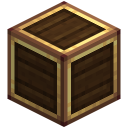

→ 1 Gyroscopic Propeller Bearing
- 1 ×Oak Slab
- 1 ×Gyroscopic Mechanism
- 1 ×Brass Casing
Why a plain bearing is not enough
A Propeller Bearing always pushes along the craft's axis. If the helicopter leans a little, the thrust leans with it, drags it sideways and makes it lean further. The video starts like this: the craft lifts off, lies down and flies off askew.
A plate that stays upright

The gyroscopic bearing replaces the first one. Its four small pistons tilt the plate so it aims upwards even when the hull leans, within a 12° cone around its axis. The craft stays stable and can climb straight up. Everything else is the same: same thrust, same stress, same sails as a Propeller Bearing.
Thrust that levels the craft

Since the thrust keeps pointing up, it tends to right the craft instead of pushing it further from vertical. The plate itself keeps its direction: you can see it tilt against the hull.
Facing down: floating islands
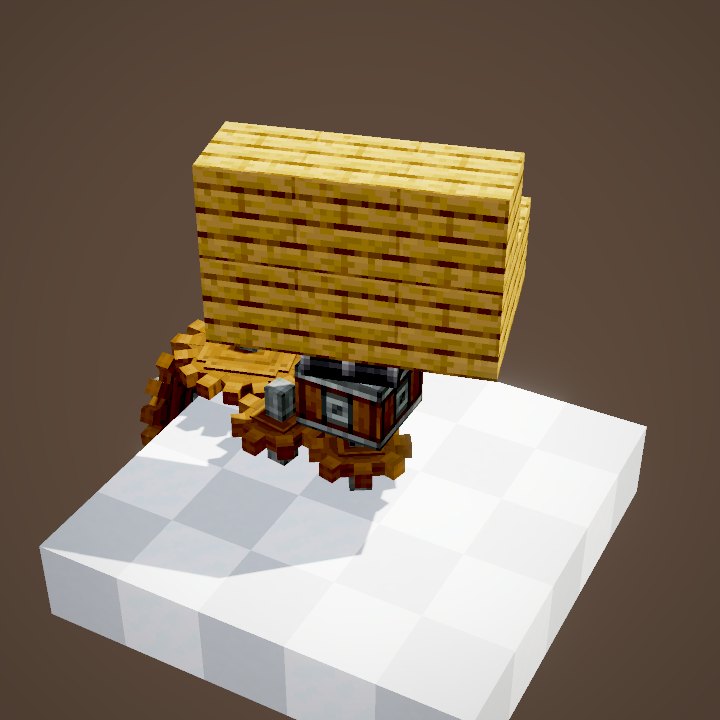
Placed upside down under a structure, the bearing holds a load sitting above it, even a top-heavy one. The island in the video, with its house and brick roof, stays level instead of flipping over: the plate makes up for small imbalances.
Redstone to lock the tilt
Sometimes you do not want the propeller to right itself: a propulsion propeller mounted on the side, for instance. A redstone signal on the bearing resets the tilt to zero, and it then behaves like a plain bearing. Cut the signal and it goes back to stabilising.
Building a helicopter
Place the gyroscopic bearing facing up, above the craft's centre of mass, and glue a sail propeller to it. A Physics Assembler and a rotation source complete the build: a Portable Engine gives 32 RPM. Thrust follows the same formula as the plain bearing: eight sails at 32 RPM give 145 units for 512 SU. To move forward, add a small horizontal propeller at the back, or let the craft lean slightly: the plate only compensates up to 12°, so a steeper lean turns part of the thrust sideways.
What the bearing does not do
The gyroscopic bearing adds no extra thrust and cannot save a badly balanced craft beyond its 12° cone: always put the propeller above the centre of mass. It draws the same stress as a Propeller Bearing and also spins up gradually, the more slowly the more sails the propeller has. Keep the hull light so a modest rotor can lift it.
Frequently asked questions
Can it face sideways? Yes, it faces any of the six directions like a Propeller Bearing; the 12° cone then sits around that axis. Do symmetric sails count? Yes, just like windmill sails, since both belong to the same sail tag.
The Gyroscopic Mechanism
The recipe needs a Gyroscopic Mechanism. It is made by sequenced assembly from an iron sheet: on each loop a Deployer adds a cogwheel, a shaft and a brass nugget, and it takes five loops. The rest of the recipe is the Propeller Bearing's, with a wooden slab and a brass casing.
Related pages



Sources for the numbers (Create 6.0.10 · Create Aeronautics 1.3.3 code)
- Code, data and storyboards: Create Aeronautics 1.3.3 (Creators-of-Aeronautics/Simulated-Project repository, commit 900122e, code under the MIT licence, assets « all rights reserved », The Simulated Team / The Creators of Aeronautics), identical to the modpack jar (1.3.3 test instance)
- GyroscopicPropellerBearingBlockEntity (setStrictTilt, 12° cone, redstone signal), GyroscopicPropellerBearingRenderer (plate and pistons)
- Recipes: data/aeronautics/recipe/gyroscopic_propeller_bearing.json, data/simulated/recipe/sequenced_assembly/gyroscopic_mechanism.json
- Videos: Create Aeronautics / Simulated Ponder scenes (gyroscopic_propeller_bearing/helicopter, island, redstone) replayed by our engine; mod models and textures (© The Simulated Team / The Creators of Aeronautics)
Original texts and animations by Create France, rendered from the mod's Ponder scenes. Create is a mod by the Create Team, not affiliated with Create France.