Create Wiki · Create Aeronautics
Sensors
An autopilot starts with measurements. Simulated provides sensors that turn a ship's state into a redstone signal: the Altitude Sensor, the Gimbal Sensor for tilt, the Velocity Sensor and the Navigation Table for heading. Three blocks work with lasers: the Laser Pointer, the Laser Sensor and the Optical Sensor.
Quick facts
- Altitude Sensor
- Signal by height, adjustable bounds, can be inverted
- Gimbal Sensor
- Signal towards the lower side; one setting per axis
- Velocity Sensor
- Signal by speed along its axis
- Navigation Table
- Signal towards the target of the navigation item placed on it
- Laser Pointer
- 100-block range; colour by filter
- Optical Sensor
- 15-block range; signal by distance to the block it sees
- Goggles
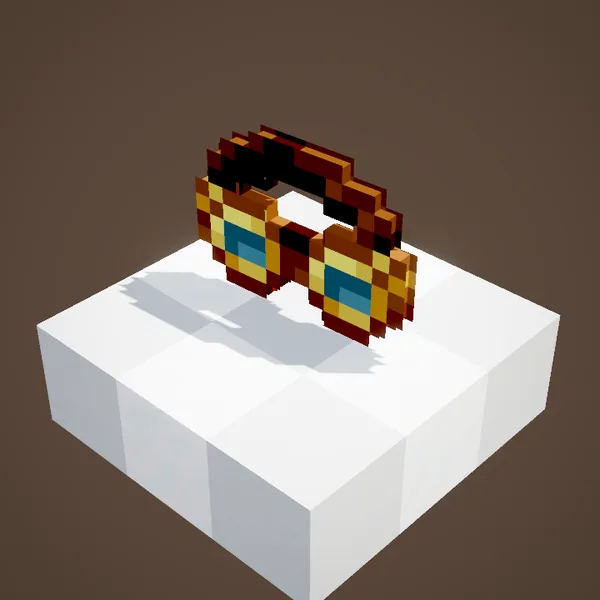
- Show exact altitude and air pressure
Crafting table recipe


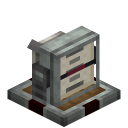
→ 1 Altitude Sensor
- 1 ×Paper
- 1 ×Iron Sheet
- 1 ×Andesite Casing
The Altitude Sensor
This sensor emits a signal that depends on its height. By default, the higher it goes, the stronger the signal: wired to a burner, it holds an altitude.
Bounds and readings

Its interface sets the minimum and maximum altitude of the signal and can flip the direction. With goggles you read the exact altitude and the air pressure, which weakens propellers and burners up high; the wrench shows small changes.
The Gimbal Sensor
The Gimbal Sensor outputs towards the side that goes down. Its value panels set the angle that gives full signal and the output direction, for each axis separately: the basis of automatic levelling.
The Velocity Sensor
The Velocity Sensor gives a signal based on the contraption's speed, measured along the axis of its propeller. By default it outputs away from the motion; you can set the speed for full signal and the output side.
Frequently asked questions
Does the Altitude Sensor measure from the ground? No, it reads the absolute world height, between the set bounds. Which sensor keeps a ship level? The Gimbal Sensor: its signal comes out on the side that dips, just wire it to the propeller on that side. Do lasers pass through glass? The beam stops on solid blocks. Do I need goggles? No, but they show the exact altitude and air pressure.
Example: holding an altitude
An Altitude Sensor set to output 15 below the wanted height and 0 above it, wired to a Hot Air Burner: the balloon heats up when you sink and cools when you rise. A Redstone Inductor between the two smooths the response and avoids bobbing.
Crafting
The Altitude Sensor takes paper, an iron sheet and an andesite casing; the Gimbal Sensor a compass, a Gyroscopic Mechanism and a brass casing; the Velocity Sensor a Create propeller, a barrel and an andesite casing. The Navigation Table is made from a brass sheet, a precision mechanism and a brass casing; the laser blocks use an amethyst shard as their lens, with a redstone torch for the pointer and tinted glass for the sensor. The Optical Sensor uses an amethyst shard, an electron tube and a brass casing. Every sensor here is an ordinary block: place it on the contraption and wire it like any other redstone source.
Lasers and the Optical Sensor

When powered, the Laser Pointer casts a beam up to 100 blocks, stopped by solid blocks; a Laser Sensor it hits outputs according to the beam's power, and a filter keeps a single colour. The Optical Sensor casts its own beam (15 blocks) and gives a signal based on the distance of the block cutting it. Our engine does not draw these beams yet: no video for now.
Related pages


Sources for the numbers (Create 6.0.10 · Create Aeronautics 1.3.3 code)
- Code, data and storyboards: Create Aeronautics 1.3.3 (Creators-of-Aeronautics/Simulated-Project repository, commit 900122e, code under the MIT licence, assets « all rights reserved », The Simulated Team / The Creators of Aeronautics), identical to the modpack jar (1.3.3 test instance)
- Simulated 1.3.3 default server settings (SimBlocks, SimPhysics, SimItems) and stress costs (SimStress, AeroStress, OffroadStress)
- Recipes: data/simulated/recipe/altitude_sensor.json, gimbal_sensor.json, velocity_sensor.json, navigation_table.json, laser_pointer.json, laser_sensor.json, optical_sensor.json
- Videos: Create Aeronautics / Simulated Ponder scenes (altitude_sensor, gimbal_sensor, navigation_table, velocity_sensor) replayed by our engine; mod models and textures (© The Simulated Team / The Creators of Aeronautics)
- Images: mod blocks placed on the plate and rendered by our engine (© The Simulated Team / The Creators of Aeronautics)
Original texts and animations by Create France, rendered from the mod's Ponder scenes. Create is a mod by the Create Team, not affiliated with Create France.