Create Wiki · Create Bits 'n' Bobs
Dyed Pipes and Tanks
With Bits 'n' Bobs, a plain Minecraft dye colours your Fluid Pipes and Fluid Tanks. It is first a visual cue, one colour per fluid, but the colour also changes how pieces join up: at last you can run two lines right against each other without them merging.
Quick facts
- Colours
- Minecraft's 16 dyes
- Pipes
- Fluid Pipe, Glass Fluid Pipe and Encased Fluid Pipe
- Tanks
- the whole tank in one click; a single block while sneaking
- Connections
- same colour together; an undyed pipe joins anything
- When placing
- holding a dye in your second hand colours the placed block
- Version
- Create Bits 'n' Bobs 2.3.5 · Create 6.0.10
 Crafting a cannon
 Huge Diesel Engine
 Mechanical Pump
 Thruster
 Hose Connector
 Distillation Tower
 Smart Fluid Pipe
 Hose and Hose Winch
Colouring a pipe
Right-click a pipe with a dye and it takes that colour. This works on the Fluid Pipe, the Glass Fluid Pipe and the Encased Fluid Pipe, and the colour stays when you switch between them with the Wrench. Your first dyed pipe earns the 'Did you dye?' advancement. You can recolour a pipe as often as you like, one dye each time.
One colour, one line

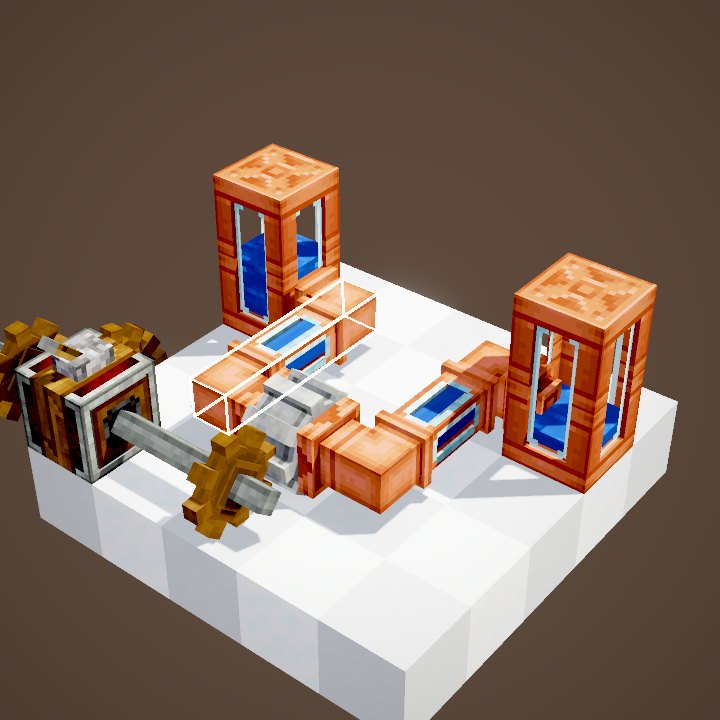
A dyed pipe only hooks up on its own with neighbours of the same colour. So two lines, one green and one red, can run pressed against each other without forming an elbow or mixing their fluids. No more leaving an empty block between two networks or fixing every joint with the Wrench.
The neutral pipe

An uncoloured pipe stays universal: it hooks up to any colour, as before. It works as a bridge when you actually want to link two lines, for instance to drain one network into another. Create's usual rules still apply otherwise: a Mechanical Pump or a Smart Fluid Pipe connects as it always did.
Dyeing while placing

Put a dye in your off hand and place pipes with your main hand: each one comes out already coloured, and the dye is not used up. It is the quickest way to run a long line. The same trick works with tanks. Create's Mechanical Pumps, Smart Fluid Pipes, Fluid Valves and Steam Engines take a dye as well.
Colouring a tank
Right-clicking a tank with a dye colours the whole tank, whatever its size: a 3 × 3 tank several storeys tall changes in one go. If you place a new tank on top of or below a dyed one, it picks up that colour, so you do not have to start again on every level.
A single block

While sneaking, the dye only touches one block of the tank. The tank then splits: the dyed block leaves the group and the rest forms again around it. Handy for setting aside a small reserve in a storage tower, but remember that the fluid gets shared out between the new tanks.
Separate tanks

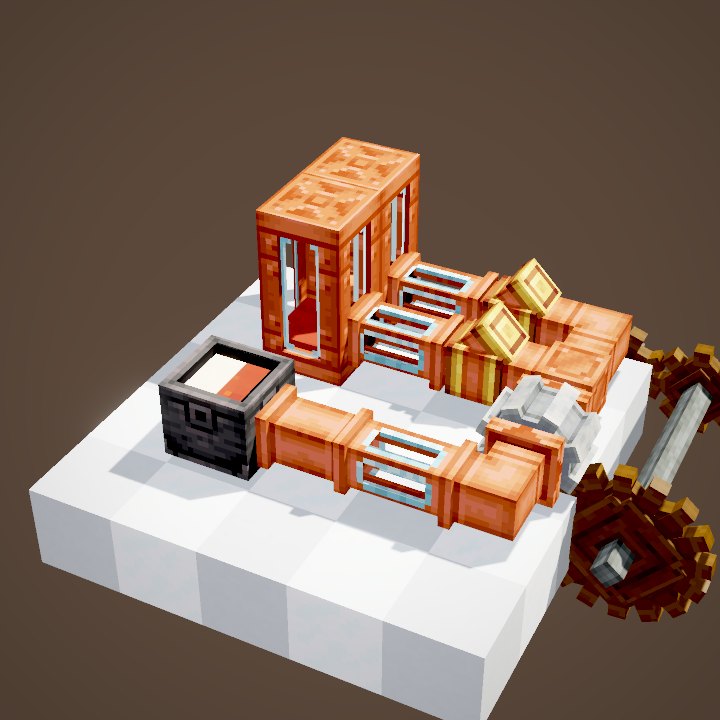
Two tanks only merge when they have exactly the same colour. Unlike pipes, an undyed tank does not join a dyed one: you need two neutral tanks, or two of the same colour. That way you can stack different tanks without them turning into one giant block.
Pipe and tank of one colour

Between a pipe and a tank, the pipe rule applies. A red pipe connects to a red tank and fluid flows as usual, either way, whether the pump is pushing or pulling.
Different colours

A blue pipe set against that same red tank stays closed on that side: no fluid gets through.
Neutral joins everything

A neutral pipe connects to a tank of any colour, and a dyed pipe to a neutral tank. For a tidy setup, keep neutral pipes where several fluids are meant to meet, and dye everything else.
Related pages



Sources for the numbers (Create Create Bits 'n' Bobs 2.3.5 · Create 6.0.10 code)
- Create Bits 'n' Bobs 2.3.5 (bits_n_bobs-2.3.5.jar from the next Create France modpack release): code from the public repository github.com/Aztech-Modding/Create-Bits-n-Bobs at commit 3794a38 "2.3.5", recipes from the jar's data folder, Ponder scenes replayed by our engine.
- Mod by Cake, Kipti, NormalGuy, Astral and Spydnel, MIT licence: models and textures by its authors, rendered from the jar; no text from the mod is copied.
- Dyeing: content/decoration/dyeable/BaseDyeableBehaviour.java (click with a DyeItem, sneaking = one block), tanks/DyeableTankBehaviour.java, pipes/DyeablePipeBehaviour.java and DyeablePipeBlockItem.java (off hand), DyeableBlockItemHelper.java; affected blocks: registry/azimuth/BnbBehaviourApplicators.java.
- Connections: mixin/dyeable/pipes/FluidPipeBlockMixin.java (null or same colour), mixin/dyeable/fluid_tank/ConnectivityHandlerMixin.java (tanks: identical colour) and FluidTankItemMixin.java (colour copied from the tank above or below); dyeablePipes and dyeableTanks switches: registry/core/BnbFeatureFlag.java; advancement: dye_fluid_component.
Original texts and animations by Create France, rendered from the mod's Ponder scenes. Create is a mod by the Create Team, not affiliated with Create France.