Create Wiki · Create: Loconautics
Analog Controller
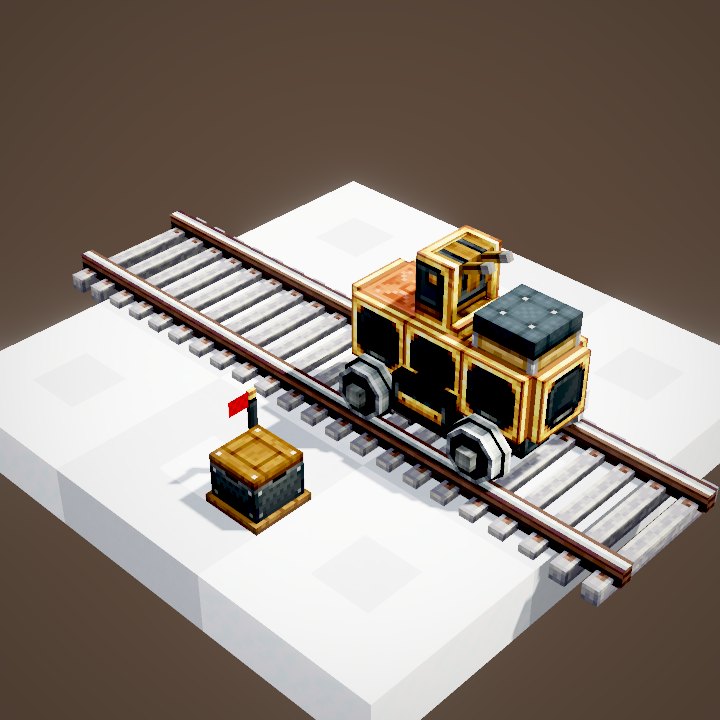
The Analog Controller is where you sit to drive a Create: Loconautics locomotive. Use it to take the controls; it then broadcasts four Redstone Link channels: ahead, reverse, left and right. The Transmission listens to the first pair, the Bearing Axle to the second. Each channel is keyed by a pair of items, just like a Redstone Link frequency.
Quick facts
- Role
- Throttle and steering of a locomotive, over frequencies
- Output
- 0 to 15, one step at a time while holding forward
- Letting go
- Drops one step every 20 ticks (decayTicks)
- Frequencies
- Forward, backward, left, right (two items each)
- Shortcuts
- Sprint locks the output; mouse wheel sets its ceiling
- Colors
- 16 dyes (red controller in the scenes)
- Version
- Create: Loconautics 0.1.3 BETA · Create 6.0.10
Crafting table recipe (red controller)


→ 1 Red Analog Controller
- 1 ×Analog Lever
- 2 ×Industrial Iron Sheet
- 1 ×Train Casing
- 2 ×Transmitter
- 1 ×Precision Mechanism
Throttle up, ease off
Use the controller to sit at it: from now on your movement keys drive. Keeping forward pressed adds one notch after another, from 0 up to 15, and the big lever on top tilts along. Release it and the notches drain away again, one every 20 ticks with default settings. Pressing sprint freezes the current notch, perfect for cruising, and scrolling the mouse wheel caps how high the throttle may go.
Four channels
Shift-use the controller to open its screen. From top to bottom the four rows hold the channel broadcast while going ahead, the one broadcast while reversing, then the left and right steering channels. Each channel is an item pair, as on a Redstone Link, and the broadcast strength equals the current notch.
In a locomotive
In a locomotive, the ahead and reverse channels have to match the Transmission (speed and direction), and left and right must match the Bearing Axle. You do not have to type them twice: holding Shift, use the controller while carrying a Transmission or an axle item and its channels are copied onto that item, ready to place. A Shift-use aimed at nothing wipes the copied channels.
Good to know
What the controller shows. While you hold the controls, a bar appears above the experience bar: it shows where the output stands, from 0 to 15. The notch is the signal's strength on the ahead or reverse channel; the Transmission turns it into speed (notch × 256 / 15 RPM, rounded up). The left and right channels are there to pick the branch at junctions.
Settings. How quickly the notches drain is a server option (decayTicks, 20 ticks per notch by default). The controller comes in 16 colours, and a dye-free recipe turns it back to red. Since it only sends ordinary channels, it can also drive a lift, a drawbridge or any other Redstone Link machine. Finally, place the controller inside the assembled part of the train: glued to the body, it travels with the locomotive and stays within the driver's reach, wherever the train goes. A spare controller left at a station is useless once the train has gone. Several controllers can share the same channels, for instance one at each end of a push-pull train, so the driver can change ends without reprogramming anything.
Tips
The controller comes in 16 colours; a recipe without dye resets it (the « reset » recipe). Put it in the cab, within reach of the driver's spot. For several coupled locomotives, set them all to the same frequencies: one controller drives them together. Mind the mouse-wheel ceiling too: capping the output at 8 or 10 avoids arriving too fast at a station or a turntable. The controller sends ordinary frequencies: it can drive any Redstone Link contraption, not only a train.
Related pages


Sources for the numbers (Create 6.0.10 · Create: Loconautics 0.1.3 BETA code)
- Code, data and Ponder storyboards: Create: Loconautics 0.1.3 BETA, public repository github.com/Creators-of-Locomotion/Create-Loconautics, commit 21970ec (last before the move to 0.1.4); its 26 Ponder structures and en_us.json are byte-identical to the loconautics-0.1.3BETA.jar of the Create France modpack
- License: code and data under MIT; textures, models, sounds and lang files all rights reserved (Lycoris). Our videos and images are renders from our own engine; our texts are original, no Ponder text is copied
- Numbers: config/LoconauticsConfig.java (defaults), content/combustion/SmallEngineTuning.java and CombustionFuel.java, content/transmission/TransmissionBlockEntity.java, content/hose/winch/HoseWinchBlockEntity.java, content/boiler/firebox/FireboxBlockEntity.java; experimental features: common/experimental/ExperimentalFeature.java and the modpack's config/loconautics-experimental.toml
- Recipes: data/loconautics/recipe/*.json in the 0.1.3 BETA jar
- Simulated 1.3.2 blocks (Portable Engine, Rope Connector, Physics Assembler): jar shipped with Create Aeronautics 1.3.2; code MIT, art all rights reserved (The Simulated Team)
Original texts and animations by Create France, rendered from the mod's Ponder scenes. Create is a mod by the Create Team, not affiliated with Create France.