Create Wiki · Create: Lightworks
Create: Lightworks
Create: Lightworks is a Create addon about lighting. Its lamps do more than glow in place: they cast a beam that genuinely lights the block it reaches, and they keep doing so once they ride a contraption, a train or a Create Aeronautics vehicle. Searchlights, floodlights, rotating beacons, warning lamps, runway markers, headlights and tail lights: eight blocks, all crafted from Create parts.
Quick facts
- Mod
- Create: Lightworks 1.0.1 (id lightworks)
- Author
- GoldskinMC, code under the MIT licence
- Requires
- Create 6.0.x, NeoForge 21.1.125 or newer, Minecraft 1.21.1
- Blocks
- 8 lights, plus the Beam Light, an invisible technical block
- Optional
- LambDynamicLights or the Sodium Dynamic Lights mod (client); Sable 1.0.4+ with Create Aeronautics
- Version
- Create: Lightworks 1.0.1 · Create 6.0.10
Crafting table recipe


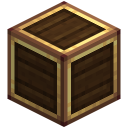

→ 1 Searchlight
- 1 ×Glass
- 2 ×Brass Sheet
- 1 ×Electron Tube
- 1 ×Brass Casing
What the addon adds

In vanilla Minecraft a lamp lights the space around it and nothing more. Lightworks adds directed light: the beam leaves the lens, follows the angle you set and leaves its light on the first block in the way, sometimes dozens of blocks off. The lamps are set up the Create way, with value boxes, the Wrench, the Clipboard and Engineer's Goggles. The recipe shown here makes the Searchlight: Glass, two Brass Sheets, an Electron Tube and Brass Casing.
A good first project

Start with your factory yard: hang a Floodlight under a gantry four or five blocks up and point it at the ground. Then put a Warning Light on a blinking pattern over the hangar door, and a Rotating Beacon on a shaft at the top of a tower: it spins with the shaft, so your water wheel doubles as a lighthouse. After that, kit out your train.
Searchlights and the Pan-Tilt Head

The searchlights and floodlights page covers the Searchlight, a narrow beam that reaches far, the Floodlight, a short wide cone, and the Pan-Tilt Head, a kinetic mount: the shaft swings the lamp on top and a redstone signal raises it. Put the two together and you have a watchtower lamp scanning its sector.
Signalling

Three blocks are mostly there to be seen; they are covered on beacons and warning lights. The Rotating Beacon spins two back-to-back beams. The Warning Light is an amber lamp running one of six patterns, all day or after dark only. The Edge Light is a low marker for lining an airstrip or a station platform, and you cross it without noticing.
Vehicle lights

The vehicle lights page deals with the two blocks made to drive or fly. A Headlight shines only on the side the vehicle is heading: fit one at each end of a train and they hand over on their own when it changes direction. The Tail and Brake Light gives off a soft red and flares for a second each time the vehicle slows.
How the light reaches the ground

A fixed lamp places a Beam Light where its beam lands: an invisible technical block with no collision, which cannot be mined or picked up and simply emits light. The server places it, so every player benefits with nothing to install. For a lamp that moves (on a contraption, a train, a Sable vehicle or a turning head), each client does the lighting itself: with LambDynamicLights or the Sodium Dynamic Lights mod if present, otherwise with light blocks added to that player's own copy of the world.
Settings and shaders
The server controls three things: whether Beam Lights are placed, the longest beam (48 blocks by default, 8 to 64) and inverted redstone. Each player decides whether the visible beam is full, faint or hidden, whether dyed lamps tint what they light, and whether lenses get a soft halo. Under an Iris shader pack the beams are drawn after the pack's own picture; the author tested Complementary Reimagined, BSL, Solas, Bliss and Photon.
In the next Create France modpack
Lightworks is not part of the current Create France modpack: it is planned for the next release, still in preparation. These pages describe 1.0.1, the version going into it. The numbers given are the mod's default settings; a server can shorten the beams or invert the redstone.
Related pages
 Searchlight, Floodlight and Pan-Tilt HeadCreate: Lightworks
 Rotating Beacon, Warning Light and Edge LightCreate: Lightworks
 Headlight and Tail and Brake LightCreate: Lightworks
 Create AeronauticsCreate Aeronautics
 Train assemblyTrains
 Mechanical BearingContraptions
 Engineer's GogglesTools and equipment
 Filters and ClipboardTools and equipment
Sources for the numbers (Create Create: Lightworks 1.0.1 · Create 6.0.10 code)
- Create: Lightworks 1.0.1 (createlightworks-neoforge-1.21.1-1.0.1.jar): code from the public repository github.com/Goldsk1n/CreateLightworks at tag v1.0.1, recipes from the jar's data folder, Ponder scenes replayed by our engine.
- Mod by GoldskinMC, MIT licence: models and textures by its authors, rendered from the jar; no text from the mod is copied.
- Block list: registry/LightworksBlocks.java; ranges and angles: content/LightType.java; settings: LightworksConfig.java (serverLightBlocks, invertRedstone, maxBeamRange 48, 8 to 64) and LightworksClientConfig.java (beamVisual, colouredLight, lensGlow, clientLightBlocks, beamsAfterShaderPack).
- Beam Light: light/BeamLightBlock.java, light/ServerBeamLight.java; moving lamps: compat/DynamicLights.java (LambDynamicLights, Sodium Dynamic Lights); required versions and tested shader packs: the repository README.
Original texts and animations by Create France, rendered from the mod's Ponder scenes. Create is a mod by the Create Team, not affiliated with Create France.