Create Wiki · Create: Radars
Radar Warning Receiver and Identification Transponder
The Radar Warning Receiver (RWR) is a ship's ear: fitted on board, it picks up the radars sweeping the area without sending anything out itself. Wired to a Monitor, it shows each radar's type, its direction and the threat it poses. The Identification Transponder does the opposite: it announces the ship as a friend.
Quick facts
- Where
- on a ship or aircraft (Create Aeronautics Sable sublevel)
- Display
- 3 threat rings on the Monitor, no distance
- Redstone
- 1 to 14 depending on how close, 15 once a radar has locked
- Sounds
- on first detection and on lock
- Decoys
- a firework near the target can break a lock
- Version
- Create: Radars 5.1.2 · Create 6.0.10
Crafting table recipe


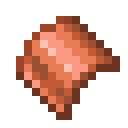
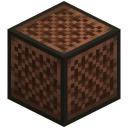

→ 1 Radar Warning Receiver
- 4 ×Iron Sheet
- 1 ×Electron Tube
- 3 ×Copper Sheet
- 1 ×Note Block
A passive receiver
The Radar Warning Receiver is crafted from four Iron Sheets, three Copper Sheets, an Electron Tube and a Note Block (recipe shown here). It is only useful on a Create Aeronautics ship or aircraft: it only shows in the creative tab with Sable, and its model lights up once on board. It does not give your position away: it only listens to other people's radars.
Linking it to a Monitor

Two ways to read what it picks up. The first: a Data Link, clicking the receiver and then placing the link on the Monitor. The Monitor switches to warning mode and draws three concentric rings. Remove the link and the screen goes dark.
Or touching the Monitor

The second: place the receiver directly against the Monitor, no link needed. It is the simplest build for a cockpit. Either way, the Monitor shows what kind of radar each one is, its bearing relative to the ship and the danger it represents.
Threat rings, not distance

Careful, the rings do not measure distance. The outer ring flags a radar sweeping your ship from too far to see it: you sit between 100 and 150% of its range. The middle ring means you are inside its range and therefore on its screens. The centre, in red, means it has locked on to fire. The position around the circle gives the radar's direction.
Sounds and redstone
A sound plays when a radar enters listening range. Once you are visible (middle ring), the receiver also gives a redstone signal from 1 to 14, stronger as the ship gets closer to the radar. On lock a second sound plays and the signal jumps to 15: enough to sound an alarm or trigger an automatic countermeasure.
Seen, then locked

On the middle ring several radars can see you at once; the most threatening one is framed by a diamond. Once one of them has locked, its symbol drops to the small inner ring and turns red. Time to change course, duck behind terrain (a radar signal gets through no more than 16 solid blocks, 8 for sky radars and Plane Radars) or launch decoys.
Telling radars apart
Each radar type has its own symbol, a small antenna drawn differently: bearing radar, Plane Radar and sky radar can be told apart at a glance. In the video each radar appearing next to the ship changes the symbol shown; we make them spin while they transmit.
Friends and the main threat

A radar whose Identification Filter holds the same code as your ship shows in blue: it is an ally. The main threat gets a diamond, and a radar locking onto you shows in red.
The Identification Transponder
The Identification Transponder (two Electron Tubes, two Redstone Links, Brass Casing) is placed on a ship. Its interface gives the ship a name and an identification code. If that code is in the Identification Filter of a Network Controller, that network's automatic guns spare the ship, and its radars show in blue on your receiver. Share your code with your allies, not with anyone else.
Fireworks as decoys
A Firework Rocket bursting within 8 blocks of a locked target can break the lock, with a 20 to 60% chance depending on its charge (75% at most for a volley). The break lasts up to 3.5 seconds, then the target is less sensitive to decoys for 5 seconds; each success adds a 2% chance of losing the lock for good. Combine the receiver, a level 15 redstone signal and a firework launcher and you have an automatic countermeasure.
Related pages


Sources for the numbers (Create Create: Radars 5.1.2 · Create 6.0.10 code)
- Create: Radars 5.1.2 (create_radar-5.1.2-1.21.1.jar from the next Create France modpack release): code from the public repository github.com/Arsenalists-of-Create/Create-Radar (NeoForge 1.21.1 branch, commit 8a7766a, version 5.1.2), recipes from the jar's data folder, Ponder scenes (PonderScenes.java) replayed by our engine.
- Mod by Aycer, HappySG, CeoOfGoogle, Kipti, OndatraCZE, Ray (furuochen) and KrimZik (Arsenalists of Create), under the Arsenalists-of-Create Source-Available License: models and textures by its authors, rendered from the official, unmodified jar; no text from the mod is copied. Official download: modrinth.com/mod/create-radars.
- Receiver: block/arad/rwr (RadarWarningReceiverBlock, on_ship property); rings and colours: MonitorRenderer.renderAradDisplay, AradMonitorGeometry (radii 0.406 / 0.271 / 0.102), aradContactColor (red locked, blue friendly); redstone and sounds: RadarWarningReceiverBlockEntity, ModSounds (RWR_IN_RANGE, RWR_LOCK).
- Transponder: block/controller/id (IdentificationTransponder, IDManager, IDBlockScreen: name and code); decoys: config/common (chaffEnabled, radius 8, minChance 0.20, maxSingleChance 0.60, maxVolleyChance 0.75, maxDurationTicks 70, resistanceTicks 100, resistanceChanceMultiplier 0.5, permanentBreakChancePerSuccess 0.02); obstacles: groundRadarMaxSolidBlocks 16, skyPlaneRadarMaxSolidBlocks 8.
- Recipes: data/create_radar/recipe/crafting/radar_warning_reciever.json, identification_transponder.json; Sable only: registry/ModCreativeTabs.java.
- Scenes: PonderScenes.rwrPonder (rwr_ponder.nbt, split into two videos) and rwrContactsPonder; radars spinning while they transmit are an addition of our render.
Original texts and animations by Create France, rendered from the mod's Ponder scenes. Create is a mod by the Create Team, not affiliated with Create France.