Create Wiki · Create Deep Seas
Sonar and Pressure Barometer
Two instruments to know where you are underwater. The Sonar listens around the submarine and draws the sea floor, rocks and other ships on the Onboard Computer. The Pressure Barometer, a small aquarium, compares the pressure with what your hull can take.
Quick facts
- Sonar
- floor, ceiling or wall mount; plates turning once a second
- With the computer
- Sonar and Autopilot pages
- Autopilot
- keeps 4 m under the keel, looks 5 s ahead
- Barometer
- depth compared with the weakest hull block
- Display Link
- depth and hull status on a board
- Version
- Create Deep Seas 3.4.8 · Create 6.0.10
Sonar, crafting table recipe



→ 1 Sonar
- 2 ×Amethyst Shard
- 1 ×Transmitter
- 2 ×Brass Sheet
- 1 ×Precision Mechanism
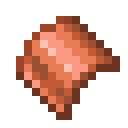
- 3 ×Copper Sheet
The Sonar
The Sonar sounds out the surroundings and picks up sea floor, rocks, other vessels and underwater mines. Its plates keep turning, one turn per second, while it listens. Every 30 to 60 seconds it plays a sonar ping.
Where to place it

It goes on a floor, a ceiling or a wall, anywhere on the submarine. Under the hull it has a clear view; inside it works too.
On the Onboard Computer

When an Onboard Computer shares the ship, its screen gains two extra pages, reached with its navigation arrows. The first, Sonar, charts the nearby relief and the free space below the keel; a magnifier button blows it up to full screen, with panning, rotation and zoom. The second, Autopilot, hugs the terrain while keeping 4 m of clearance.
The Pressure Barometer
The barometer is a small aquarium: sand, a pebble, seagrass and a pufferfish. It reads the pressure on the submarine and compares it with the maximum depth of its weakest block. Past that limit, the fish puffs up. You can even rename the fish with a name tag. In our video the fish is drawn with its item rather than the entity model.
Your hull's limit

Every block has its own maximum depth, worked out from its hardness and blast resistance: metal gets a bonus, glass a penalty. Rough figures with default settings: oak planks about 23 m, stone 55 m, a block of iron 160 m, obsidian 500 m, iron pressurized glass 700 m. Blocks from other mods are capped at 300 m.
Planning a dive
Before going down, check the barometer on the surface: it already knows which block of your hull is the weakest. If it is plain glass or planks, swap them for iron, obsidian or pressurized glass. Then keep a margin: the sea gives no warning, the weak block gives way at once and the room floods. Deeper than 120 blocks, a breach makes the whole ship implode.
Making the most of the sonar
One sonar per ship is enough. Mount it away from big masses of blocks for a clearer map, and check it before any fast descent into unknown water: cliffs and rocks show up long before you could see them through a window.
Crafting the barometer
The Pressure Barometer is made from five iron pressurized glass panes, a water bucket in the centre and three blocks of industrial iron underneath. It holds up to 350 m itself. The Sonar takes two amethyst shards, a transmitter, two brass sheets, a precision mechanism and three copper sheets.
Common questions
Does the barometer have to be on the submarine? Yes, it measures the pressure on the ship it is mounted on. How many sonars? A single one is enough to unlock both computer pages.
On a display board
Put a Display Link against the barometer and point it at a display board: depth and hull status show up for the whole crew. Our video writes "42 m" on the board, as the Ponder does.
Related pages


Sources for the numbers (Create Create Deep Seas 3.4.8 · Create 6.0.10 code)
- Create Deep Seas 3.4.8 (create_submarine-3.4.8.jar from the Create France modpack): code read after decompiling (Vineflower) for the figures (SubmarineConfig, HullStrengthConfig, BallastTankBlockEntity, CommandSubBlockEntity…), recipes from the jar's data folder, Ponder scenes SubmarinePonderScenes / HighSeasPonderScenes replayed by our engine.
- Mod by Maxenonyme (MaxCreateMC), Cogfly and Zinc Studios; art by Marume, RandomePigeon, Funado. Mod licence: "All Rights Reserved": models and textures belong to their authors and are rendered here from the jar; no text from the mod is copied.
- Simulated 1.3.2 blocks (rope winch, rope connector, swivel bearing): Create Aeronautics, assets "All Rights Reserved", code under MIT.
- Barometer video: the pufferfish (an entity in the game) is shown as the pufferfish item, moving like the renderer moves it.
Original texts and animations by Create France, rendered from the mod's Ponder scenes. Create is a mod by the Create Team, not affiliated with Create France.